Unlocking Letters & Sounds - Phonics
 Updated
Unlocking Letters & Sounds (ULS) is a DfE-validated systematic synthetic phonics (SSP) programme which follows the progression of the 2007 Letters and Sounds framework – with the addition of some KS1 National Curriculum objectives. Through ULS students will learn the 150+ graphemes that are represented by the 44 phonemes of the English language along with common exception words (CEWs) in a planned, progressive way.
Our partnership with ULS means that if you are subscribed to Unlocking Letters & Sounds, you are able to request their framework descriptors and record assessments against them in Insight.
This guide introduces the Framework. It walks admin users through the recommended setup, and provides useful information for using the Framework in the context of Insight.
Introduction to the Framework
Currently, there is only one version of the ULS framework for tracking pupils against the ULS Phonics Programme.
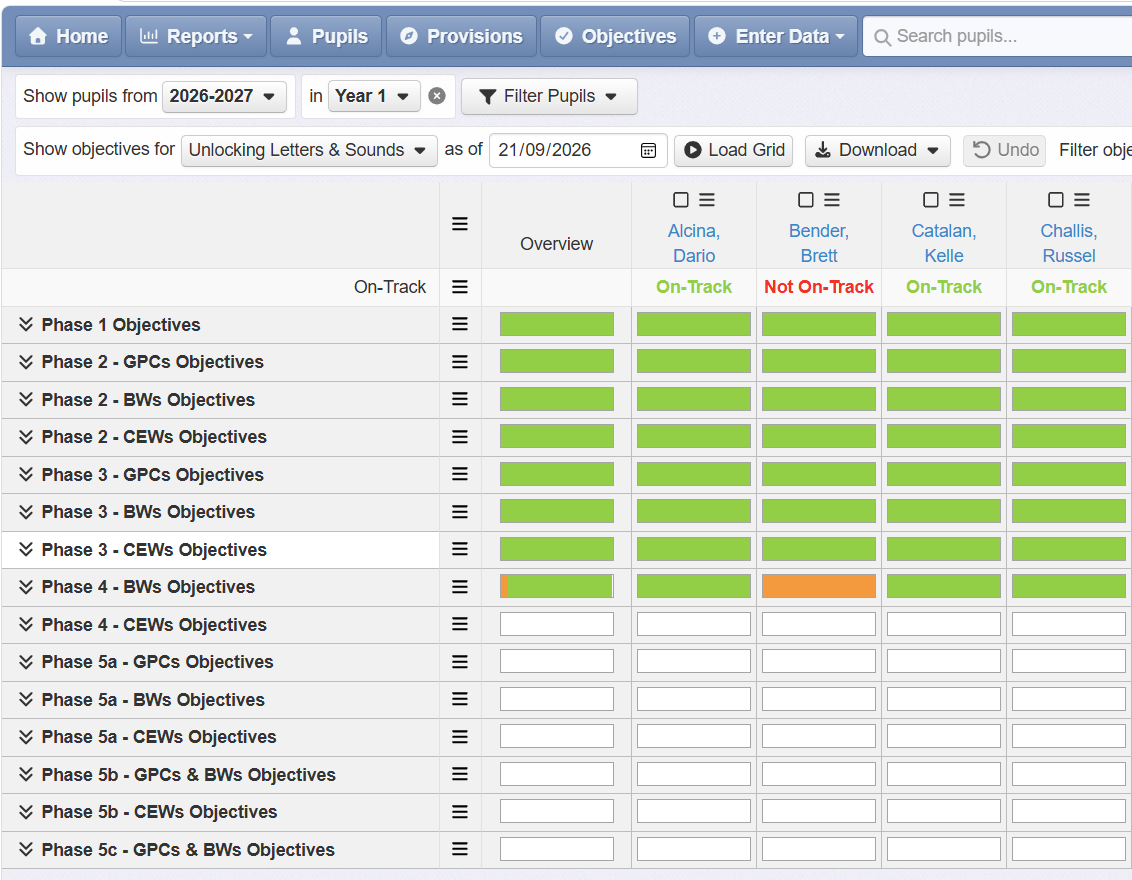
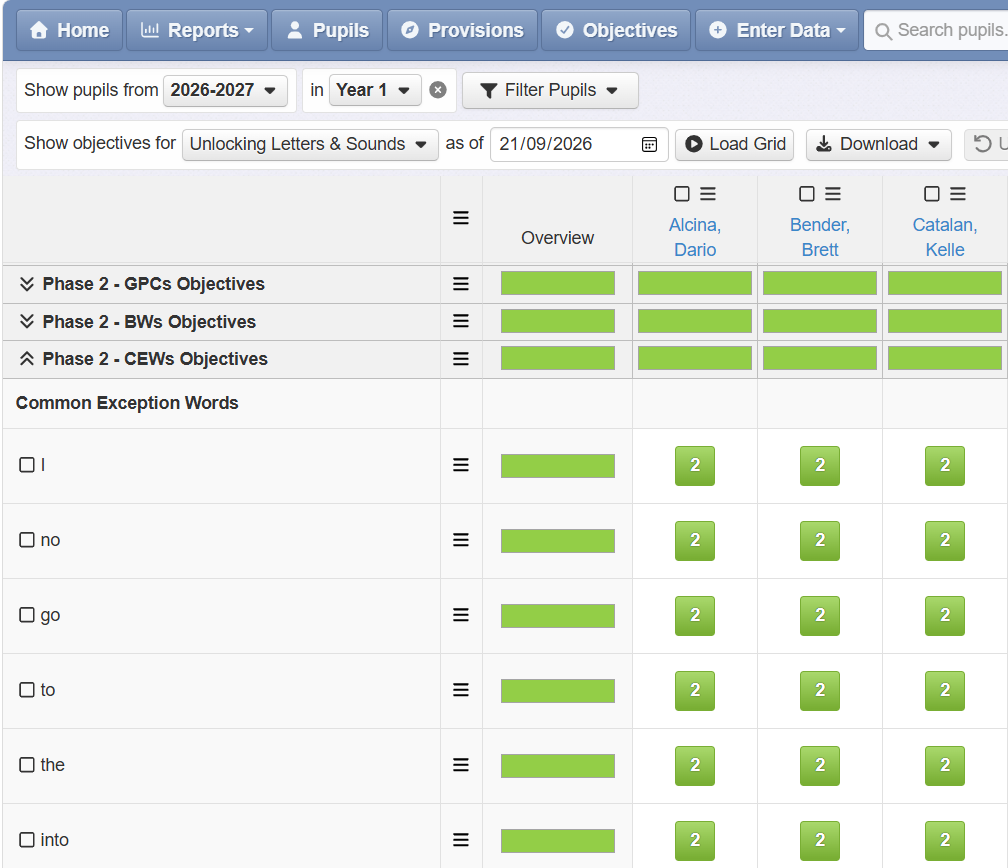
The Framework is split into the Phases below:
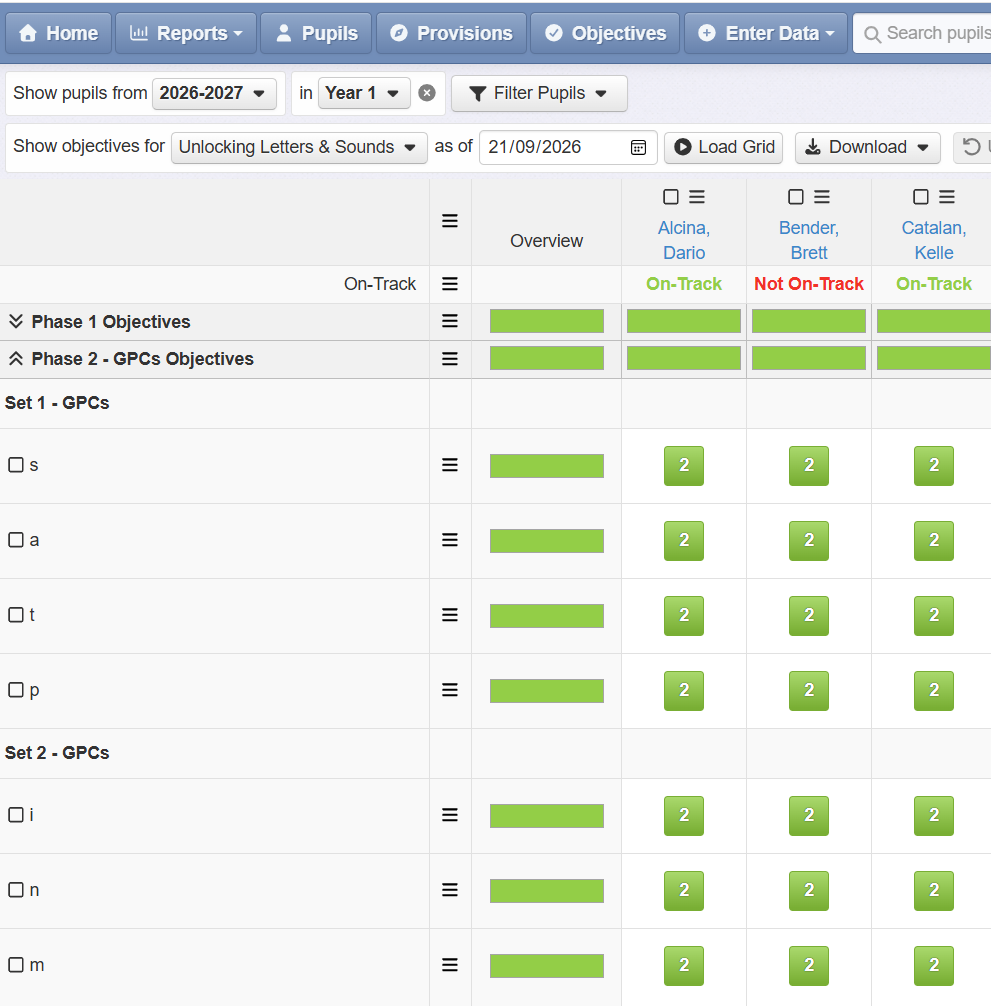
Pupils can then be assessed within each Phase against the Grapheme Phoneme Correspondence (GPC), Blended Word Reading (BWs) and Common Exception Words (CEWs) for each Phase and Sets within the Phase:
Admin users: Setting up the Framework in Insight
1. Objectives
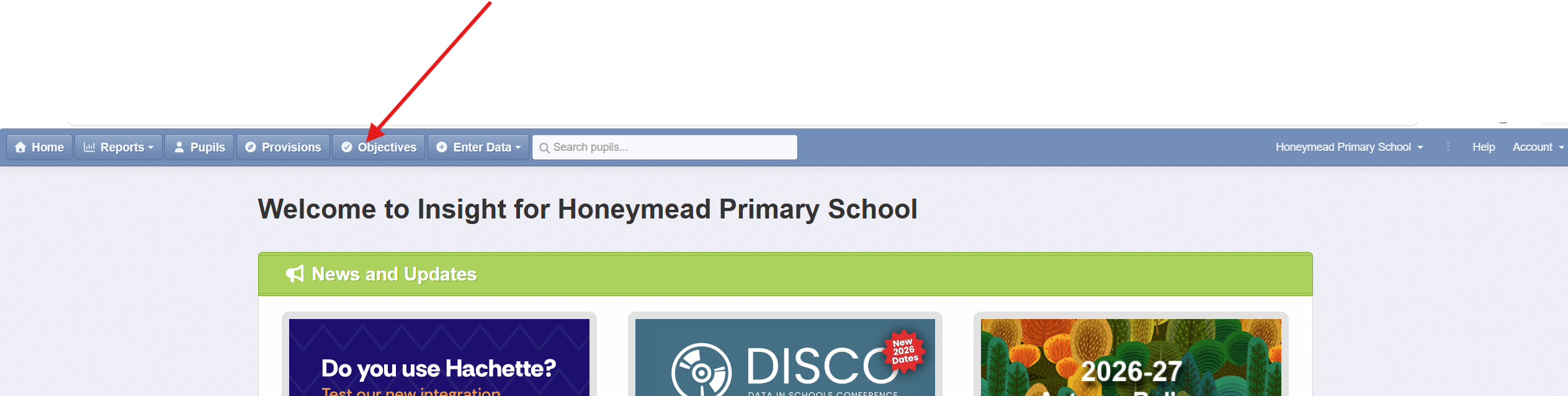
If you are subscribed to ULS, an Admin user can add the ULS Assessment Framework to Insight through our Suppliers pages. You'll then have access to the Objectives collection via the Insight Objectives tab of your Insight account:
2. Subjects
The ULS Framework is linked to Reading as a subject by default. However, you may wish to link your ULS Objectives to a different name or subject in your Insight Account. This can be amended by an Admin user in the ULS Objectives Collection Settings.
3. Formative Assessment
Each objective within the ULS collection can be assessed using On-Track (Green), Not On-Track (Red). Again, and Admin user can amend this terminology in the ULS Objectives Collection Settings if you wish. However, this must include a Green band as this automatically informs the Summative Assessment.
4. Summative Assessment
The ULS Objectives Collection has been set up to auto-generate a summative assessment of On-Track or Not On-Track, based upon the formative assessments made against each objective/statement.
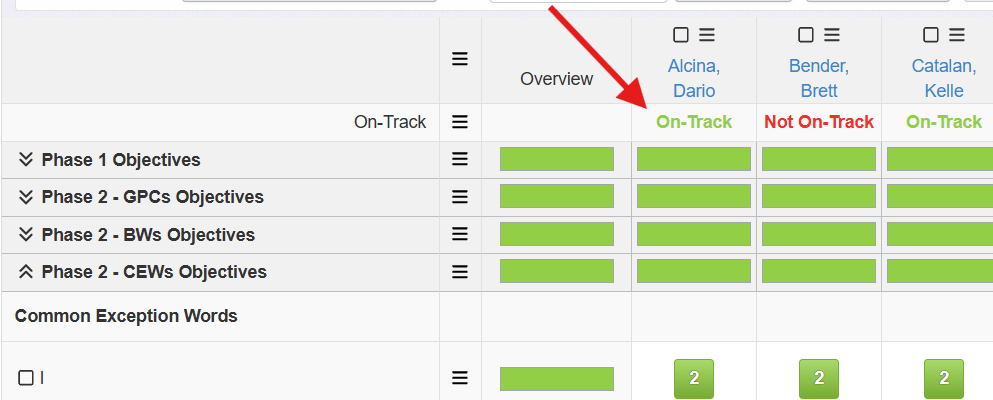
We have worked closely with ULS to ensure that the auto-generated evaluation of On-Track/Not On-Track is based upon the detailed ULS criteria for Reception and Year 1. Please see the ULS Criteria below. This will explain how and when a pupil will be deemed to be On-Track or Not On-Track (as the ULS Spreadsheet has previously done):
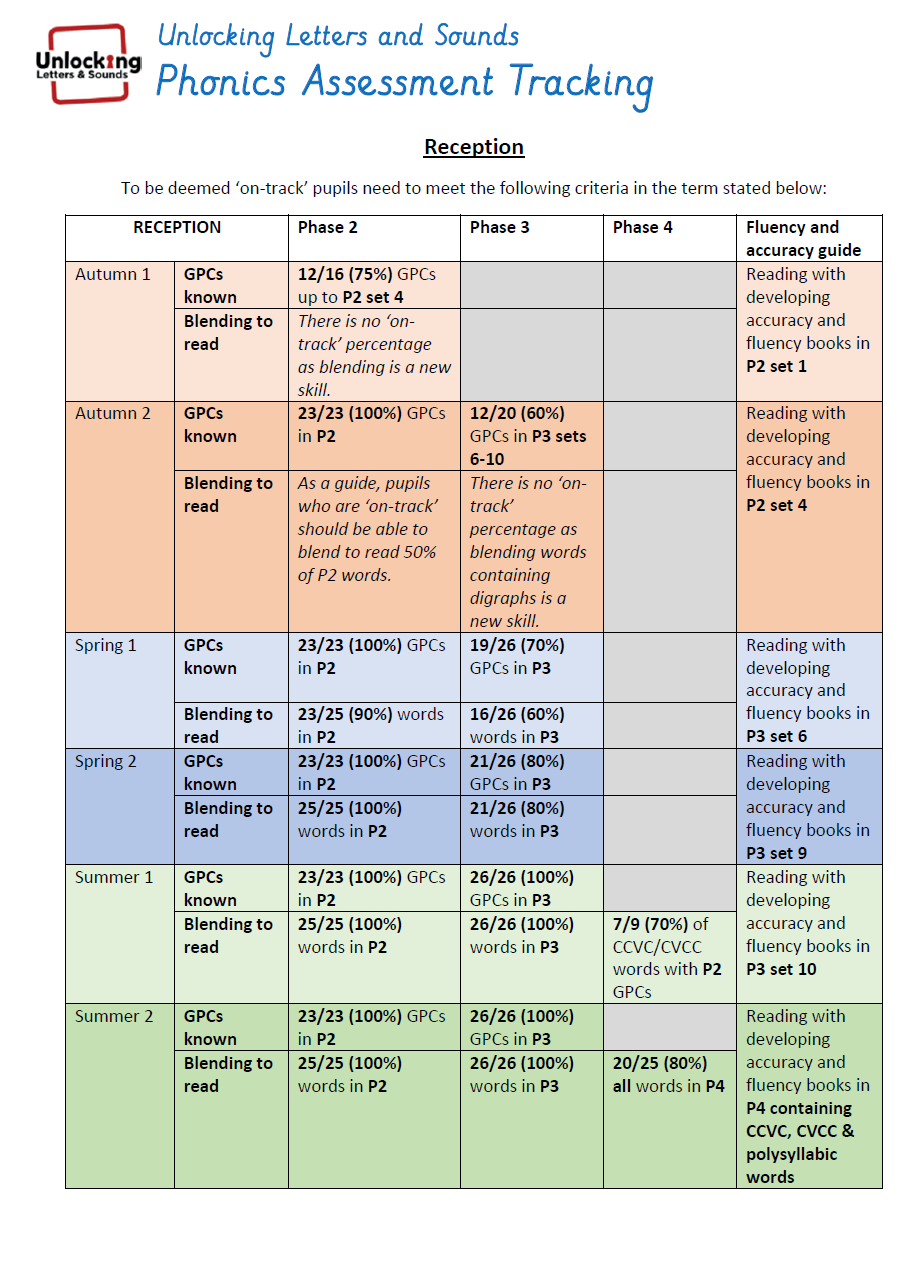
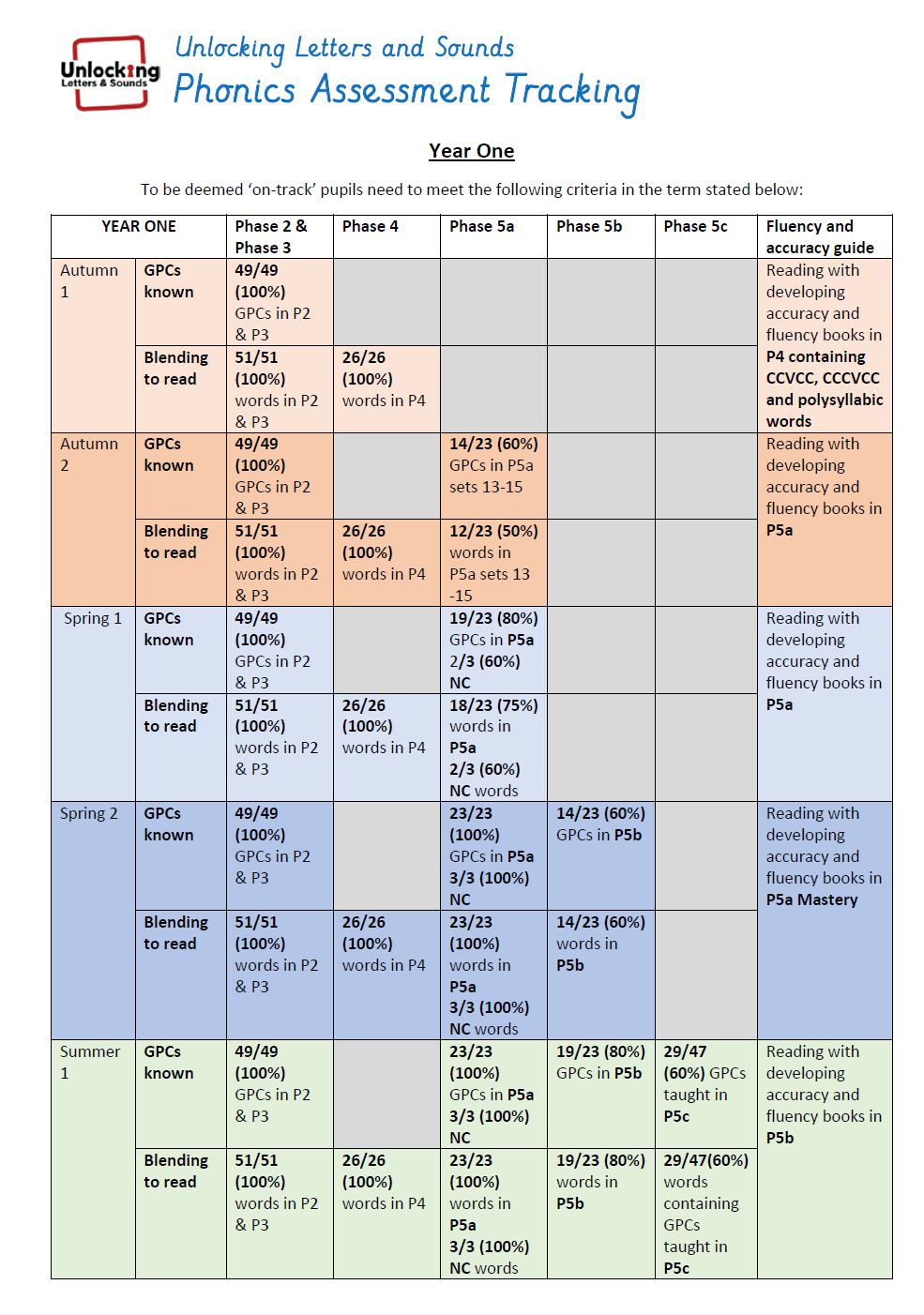
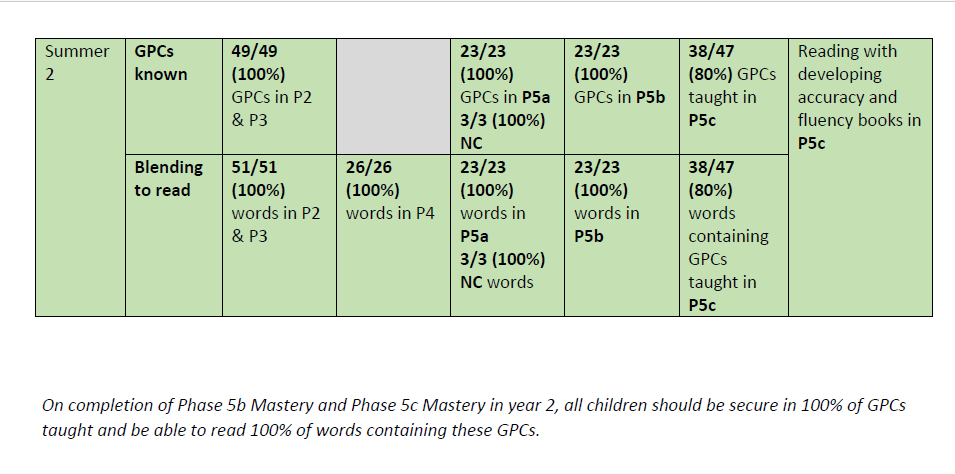
Insight will evaluate if a pupil is On-Track or Not On-Track compared to the expected standard at the end of each Half-Term. This summariser cannot be altered in this collection.
5. Assessment Name
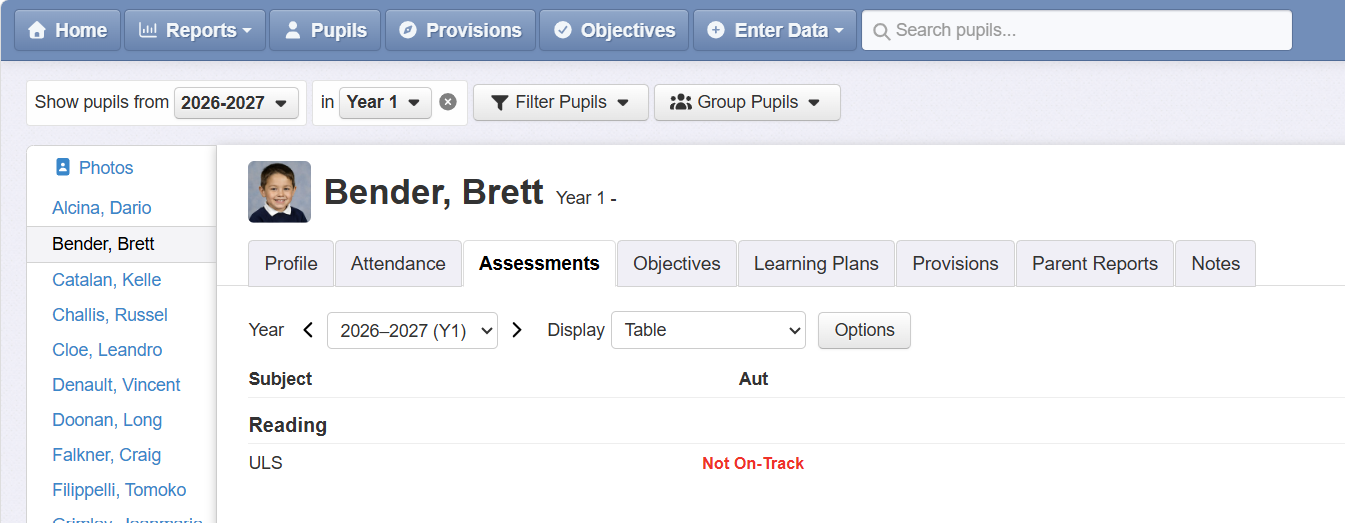
By default, the summative assessment (On-Track, Not On-Track), will be recorded under the Assessment Name ULS which will sit under Reading as the subject (unless you have amended the subject for your school):
6. Term Frequency
When you are using the ULS framework and assessments in Insight, you will need to consider whether you need to set your Insight account to a Half Termly setting rather than Termly, as the ULS Assessments are generated every Half Term. Without this, reports outside the Objectives page can only show whether children are On-Track for the end of term expectations, whereas on the Objectives page you're seeing the end of the half-term's expectations. This is a system wide setting, but does not mean that all of your Assessments have to be completed on a Half Termly basis. It merely provides an additional data point for those assessments, like ULS, that do need to record Half Termly data.
Reporting
The ULS summative assessments generated by the central Objectives Collection (On-Track, Not On-Track) can be brought into any of Insight's reports as usual. Some useful examples include:
1. Overviews - Attainment report
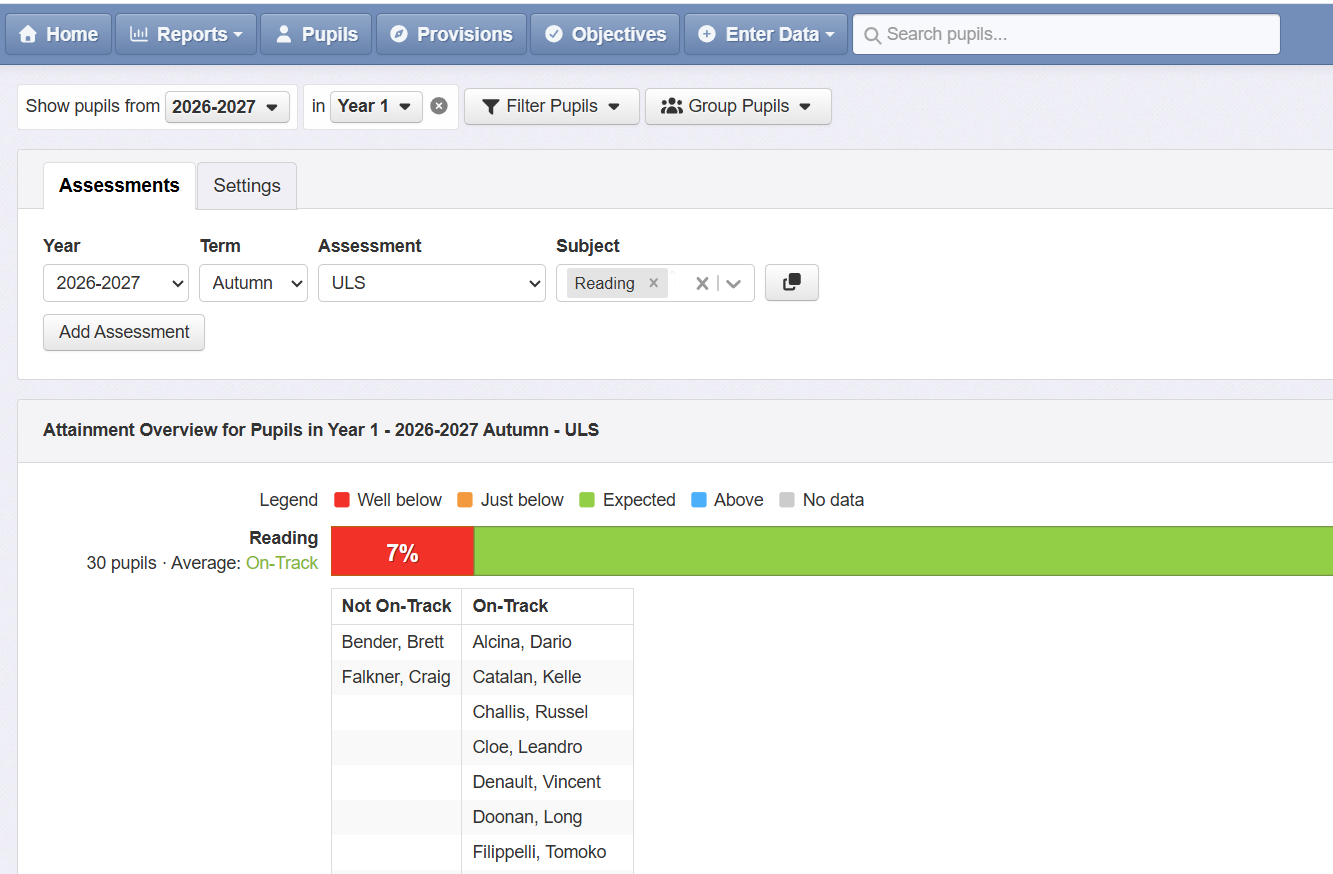
The Overviews-Attainment report is a useful tool to see a snapshot of the pupils On-Track or Not-On Track for the Phonics Screening Check at the end of Year 1. Insight's filtering and grouping options will allow you to define which pupils you want to include and how you want to compare them. You can also use the Settings to Show Pupil Names to assist with reviewing your pupil groupings in school.
2. Tables
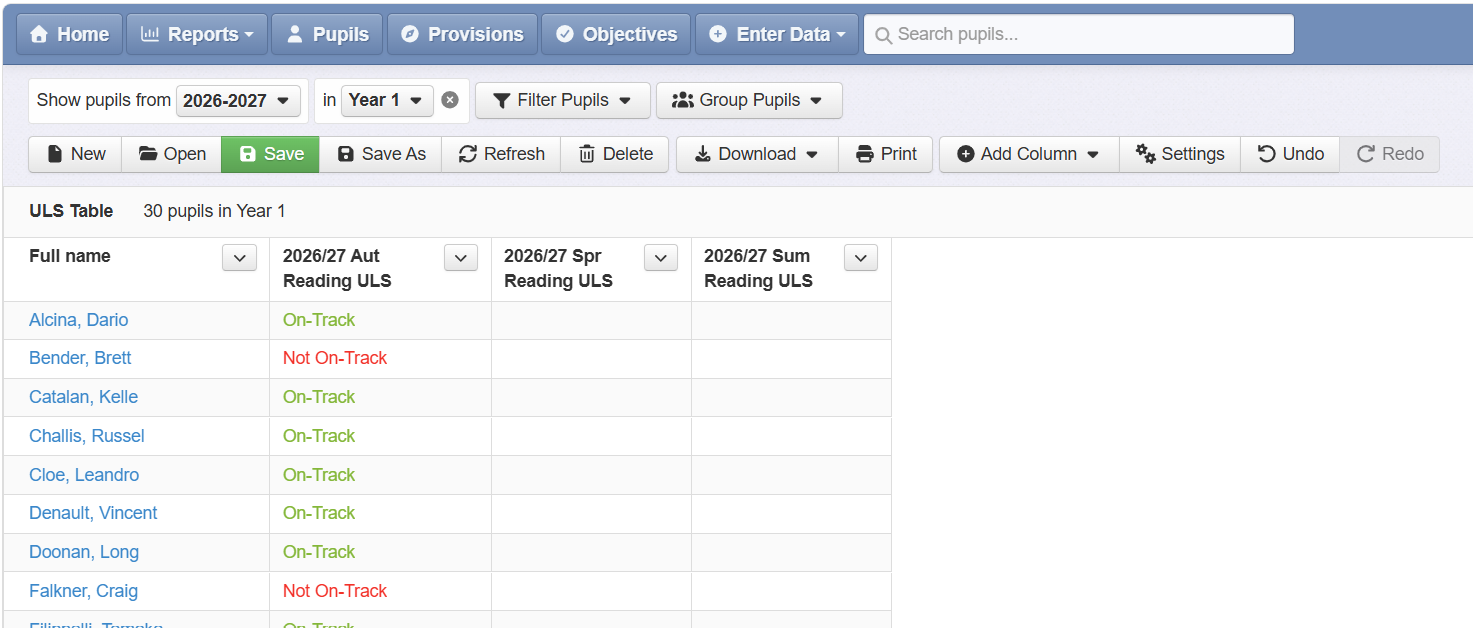
Tables are useful if you need a snapshot of which children are On-Track/Not On-Track at any point in time: