Deleting pupils
 Updated
Occasionally, you may need to permanently delete a pupil from Insight. For example, if they were added in error.
Only Admin users may delete pupils.
All data relating to the pupil will be deleted including:
- Pupil details
- Pupil contacts
- Notes and attachments
- Historical assessments
- Attendance data
- Learning plans
- Provisions
- Parent reports
- Audit entries
Any deleted pupil will no longer be considered, or represented, in any display, report or analysis. For example, any historical statutory assessments for a pupil will be deleted and so no longer considered in any cohort % calculations etc. If you want to retain this data in Insight, you should consider Archiving the pupil instead.
Once you are sure you require a pupil deletion, proceed as follows.
- Open the Profile page for the pupil you want to delete.
This could be done via Admin > Manage Pupils > Edit or via Pupils > select pupil > Profile tab > Edit Profile
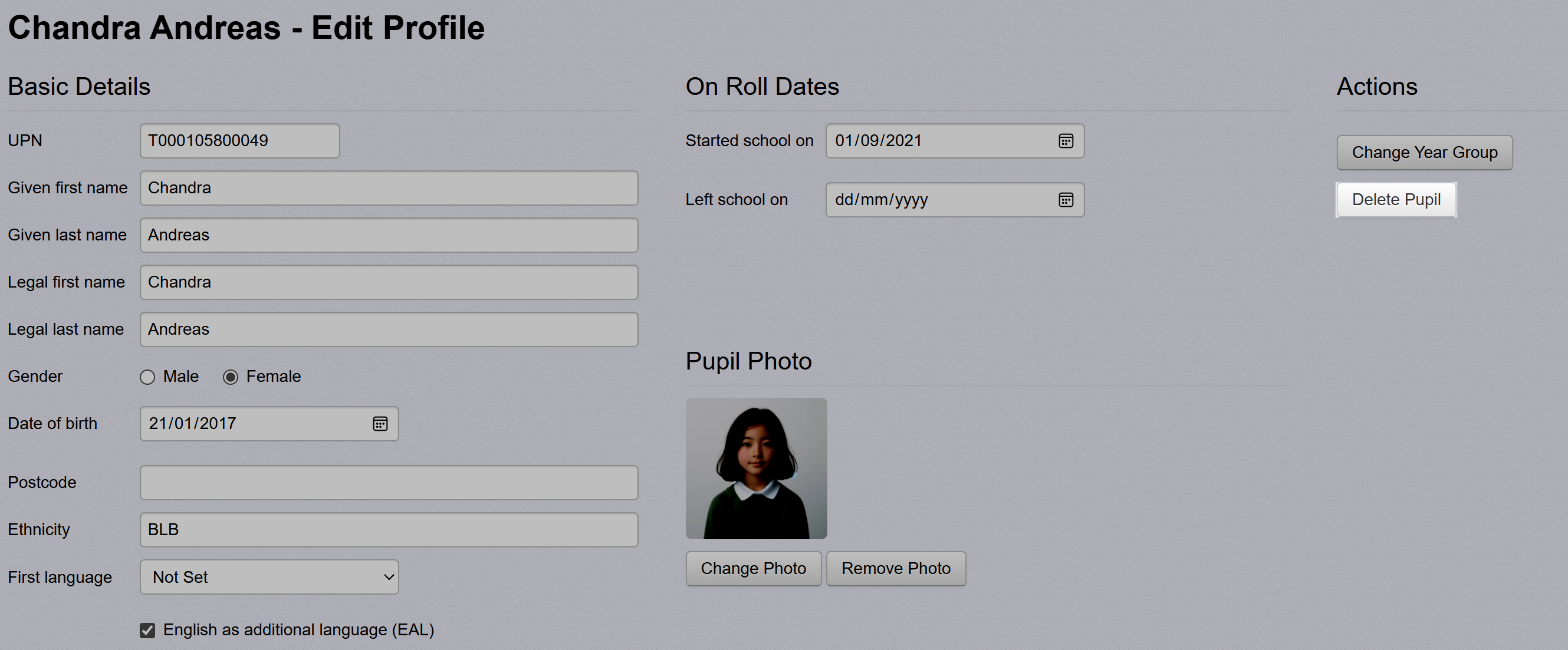
- Click Delete Pupil.
- You'll need to confirm the deletion to proceed.
Data Retained After Pupil Deletion
- Insight data is routinely backed up daily at midnight. When a pupil is deleted, their data is retained in backup archives for a maximum of 14 days from the point of deletion, depending on the exact timing of the deletion relative to the backup cycle. After this period, the data is permanently deleted.
- If the pupil had a UPN, it may appear in system logs. These logs are retained for up to 45 days after the pupil’s deletion date, after which any references to the UPN are permanently removed.
- If you have imported CTFs or other files containing pupil data into Insight, these are retained in the secure file upload area for 12 months. When you delete a pupil, Insight will not remove the pupil from these files.
