AIR Education
 Updated

What is AIR?
AIR is an AI-powered writing assessment assistant designed to help primary schools reduce teacher workload, improve assessment consistency and support better outcomes for pupils.
Teachers upload a photo of pupils' writing from any device, and AIR assesses it against National Curriculum objectives or the school's own writing framework. Teachers receive suggested assessment judgements, actionable feedback and clear insights into each pupil's strengths and next steps.
AIR also provides whole-class gap analysis, supports formative and summative assessment, and helps teachers prepare for KS2 writing moderation.
Teachers remain in control of every assessment decision, combining AIR's insights with their own professional judgement.
AIR and Insight
If you use Air and Insight, you can copy the Y6 summative assessment judgements produced by AIR into Insight. Objectives and assessments against them cannot be transferred.
Export your Year 6 outcomes from AIR as an Excel document, then use Insight's Excel Import Tool to import those judgements into Insight.
You'll need to ensure that you have the correct settings prepared in your Insight account prior to importing your AIR judgements. This guide explains how to get this set up.
AIR Assessment
You will need to have an Assessment and Mark Scheme set up ready to receive your AIR judgements. Our Support Team will be more than happy to do this for you.
Mark Scheme
AIR uses the terminology BLW, WTS, EXS, GDS for outcomes. Unless you already use this terminology in Insight, you will need a mark scheme "AIR Outcomes" with these bands adding to your account:
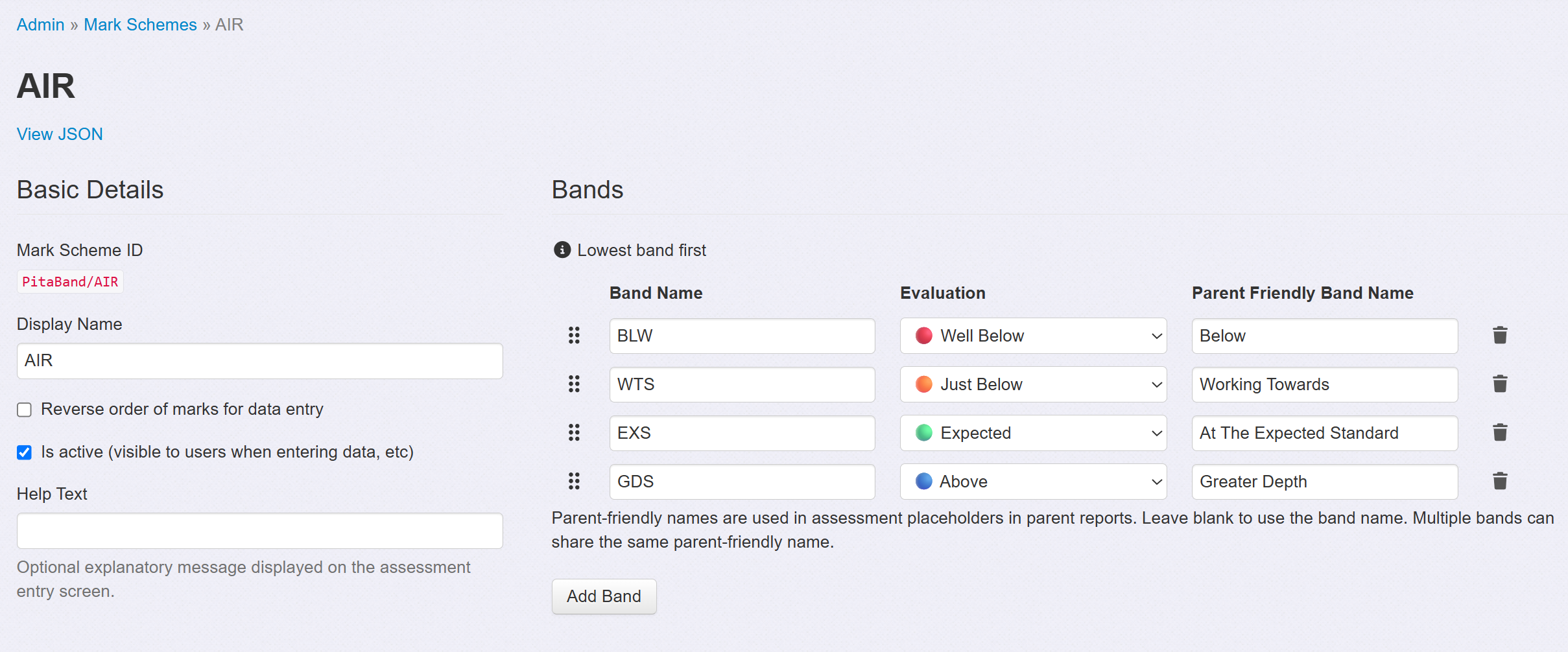
If you intend to use the AIR judgements as your Main Teacher Assessments, then this mark scheme can be attached to your Teacher Assessment. This can be added in addition to any Teacher Judgements you may be already be using:

Assessment Name
If you wish to store your AIR outcomes separately to your Main Teacher Assessment, then you will need to add a new Assessment Name to your account. Admin users in schools can do this if they wish but again, our Support Team will be more than happy to set this up for you. You will then be able to attach the AIR Mark Scheme and assign this to the subject 'Writing' and this will appear as below:
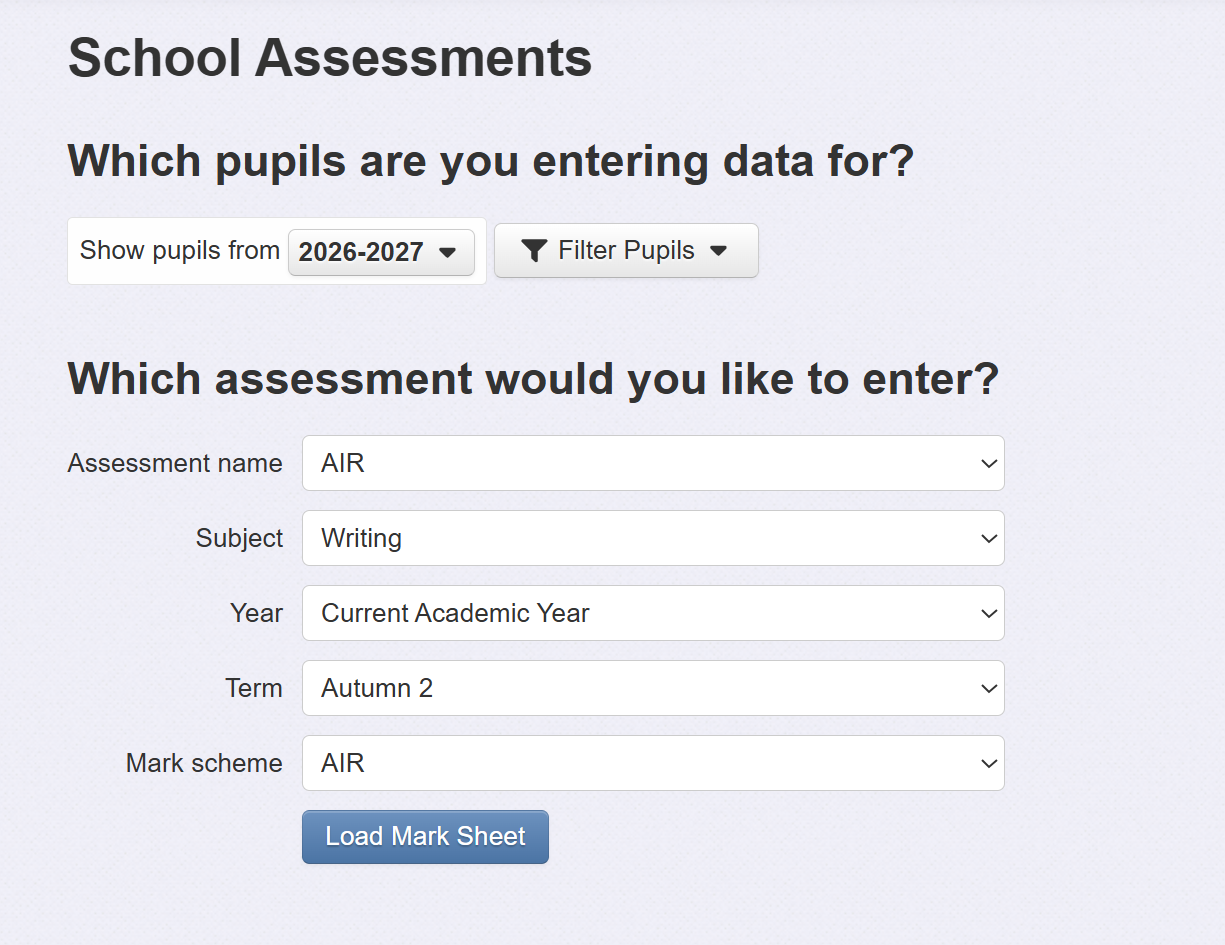
Having your AIR judgements as a separate assessment to your Teacher Assessments will allow you to compare the two in reports such as the Progress Matrix Report.
