Early Excellence EExREC recommended setup
 Updated
The EExREC Assessment Suite brings together three carefully designed tools:
- EExREC Baseline Assessment
- EExREC Beyond Baseline
- EExREC Supporting Transition to Year 1
Together, these provide a consistent, developmentally appropriate assessment process from the start of Reception through to transition into Key Stage 1.
We've worked closely with Early Excellence to ensure that schools can record EExREC assessment outcomes within Insight effectively. This guide introduces the suite and explains the recommended setup options for Admin users.
Default Setup
You may use one or more of these assessments in your school. Our default setup will provide mark schemes which include the outcomes needed for the entire suite. Practitioners record each child's outcome as Blank, A, B, C, D or E, depending on which assessment is being recorded.
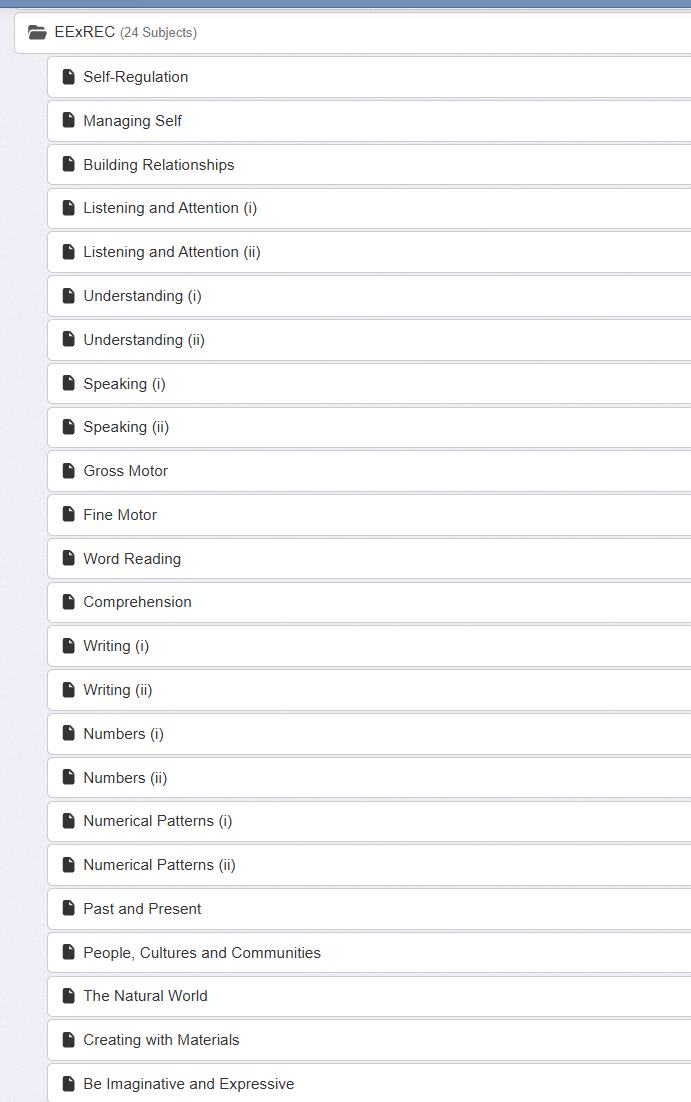
The EExREC curriculum areas should be added to your Insight account as subjects. You can use a subject group for ease of data entry:
Insight offers two ways to record these outcomes, via our mark schemes, detailed below. Schools should choose the setup that best matches how they intend to interpret and report the information.
If you would like one or both of these mark schemes setting up for your school/trust, please contact our Support Team.
Option 1: Developmental-age view (age adjusted)
This setup uses the same outcomes but interprets them in relation to each child's age in months at the time of assessment. It therefore provides a developmental view of whether attainment is broadly in line with the child's age across the curriculum areas.
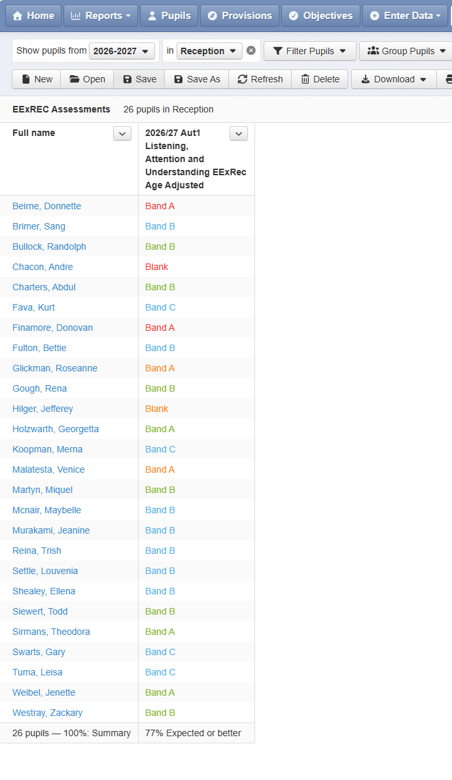
Insight applies colour coding to indicate how the recorded development band relates to the child's age (in months): green indicates that the pupil is at a typical level of development for their age, blue is above, and red is below. This means that two pupils could have the same outcome (e.g. Band B), evaluated differently because they are different ages.
Insight reports apply the colour coding automatically by comparing the recorded band with the child's age at the assessment date:
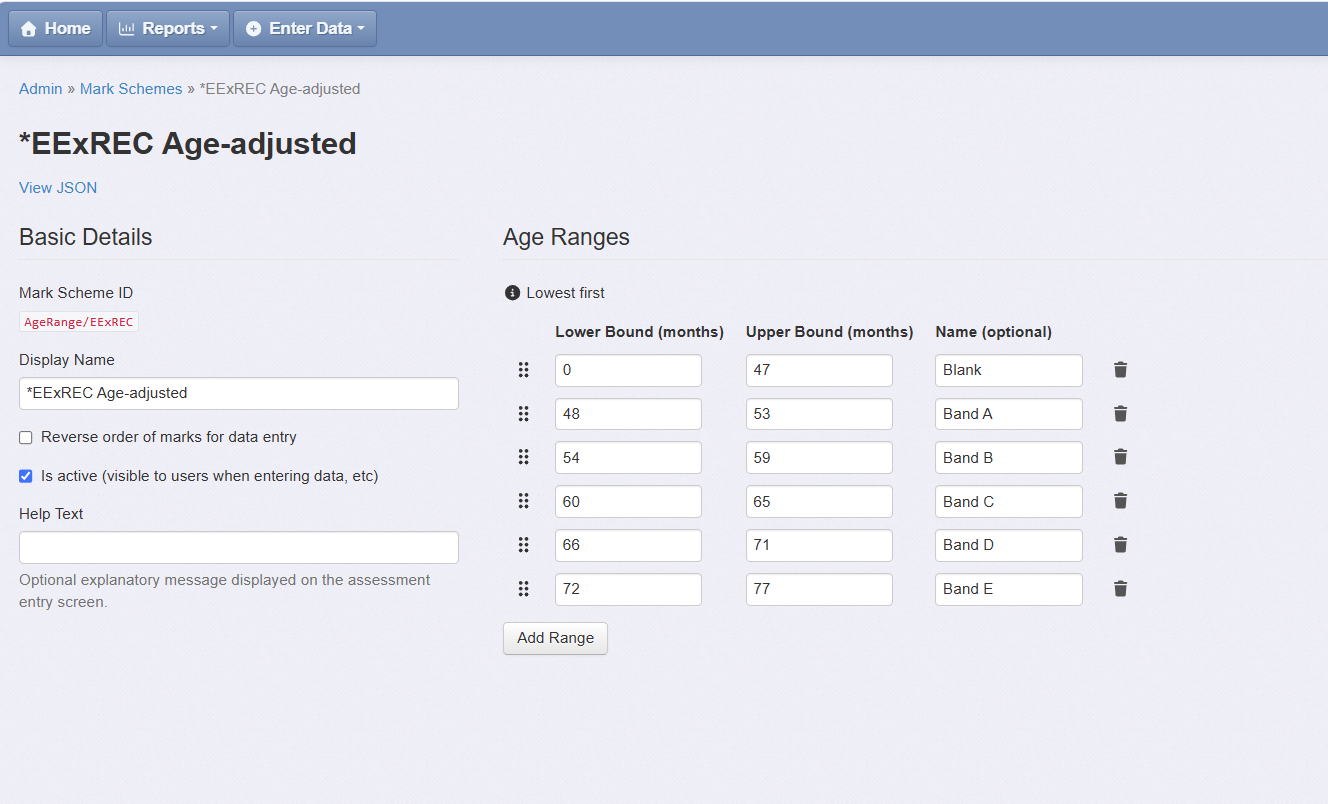
The Insight support team can set up an EExREC Age-adjusted mark scheme to record children's outcomes in this way. Use this approach if you want to look at children's attainment in a way that takes their age into account.
Option 2: Fixed reference point (not age adjusted)
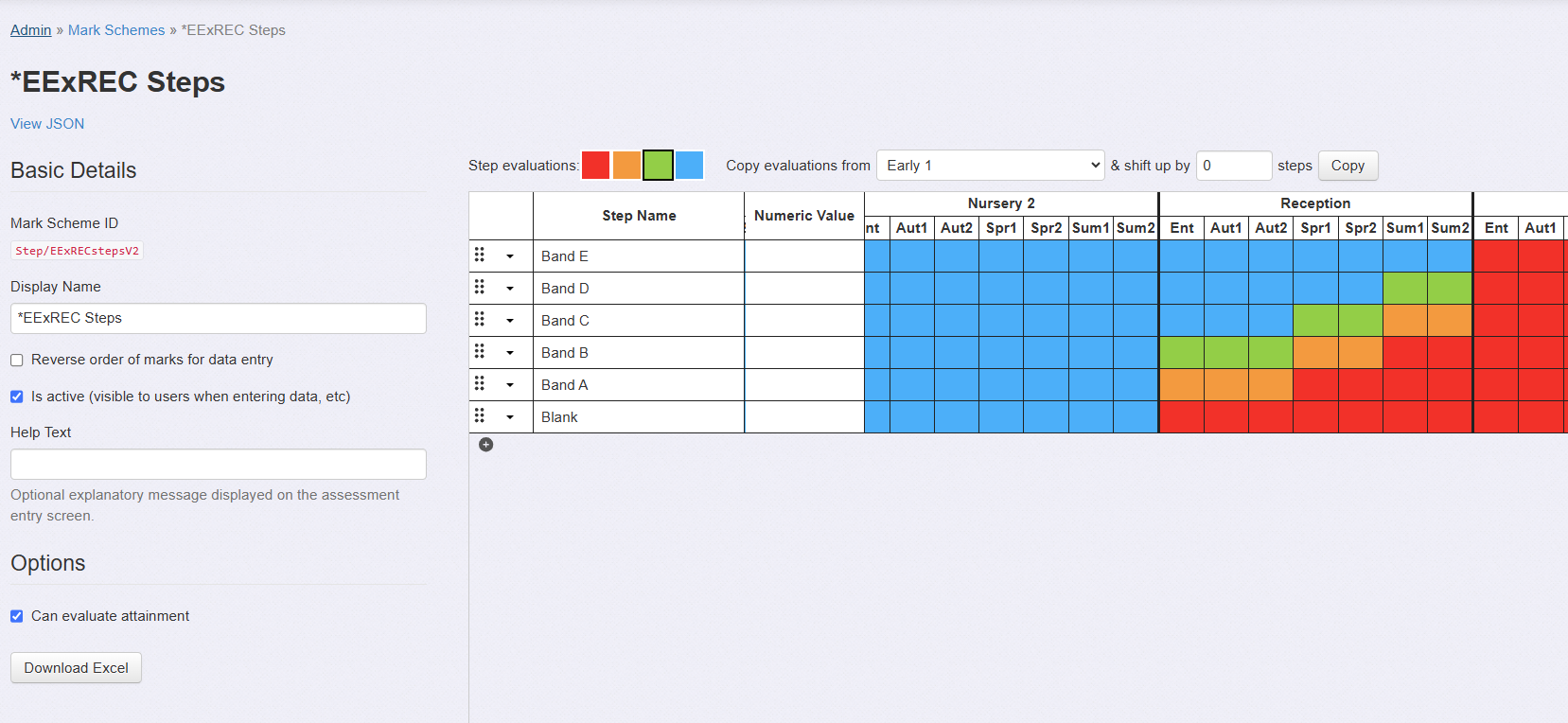
The first option offered by Early Excellence is to evaluate children's outcomes against a common reference point (see Early Excellence guidance for more information). The child's actual age at the assessment date is not used to adjust the judgement.
Because all children are considered against the same reference point, this setup supports consistent comparison of assessment outcomes and progress over time.
It can also support schools in considering which children may require additional support in relation to end-of-Reception expectations. Any such interpretation should be made alongside practitioners' wider knowledge of the child and the holistic EExREC information gathered.
The Insight support team can set up an EExREC Steps mark scheme to record children's outcomes in this way. Use this approach if you want to evaluate whether children are likely to meet their Early Learning Goals, which are not age-adjusted.
Using both setup options
Some schools may choose to make both setups available in their Insight account, so that they can view the same assessment information in different ways. Insight will need to store two separate assessments under different Assessment Names to make this possible.
To save staff manually inputting data twice, we recommend copying the assessments. You will first need to create a Table under Reports and add the assessment data. Export this as an Excel Document.
To import this data back into Insight under the second assessment name, use the Excel Import Tool. Record the second assessment using the second mark scheme.
Analysing your EExREC Data
Once you have entered your assessments into Insight, you will be able to use the usual Reports to analyse your data. There are, however, a couple of limitations in terms of working with the EExREC data to consider.
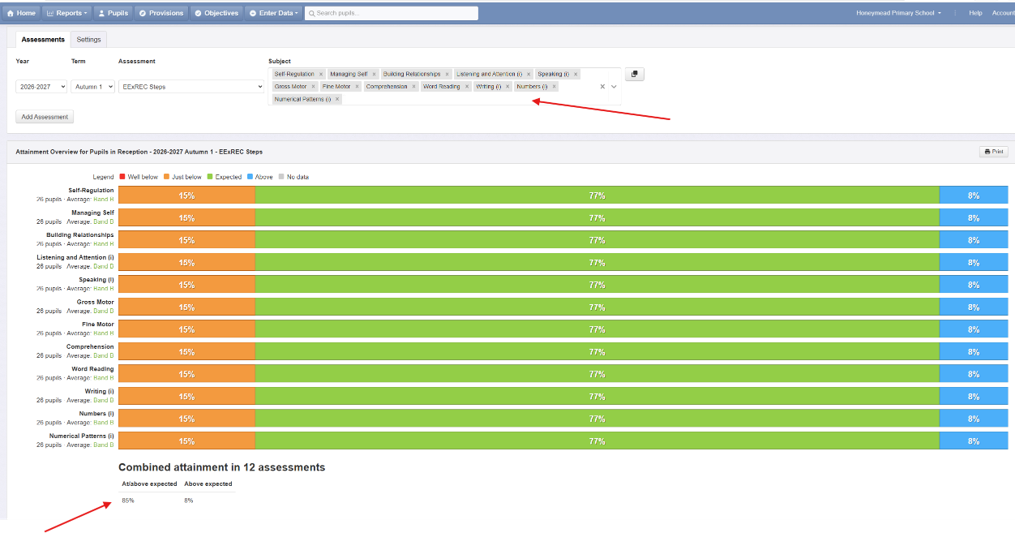
The EExREC assessments are recorded against a total of 24 aspects (some aspects are duplicated). Therefore, to calculate the percentage of pupils on track for GLD, it is necessary to use the Attainment Overview Report and select all assessments for the relevant 12 ‘subjects’ to give you an overall calculation of pupils on track for GLD:
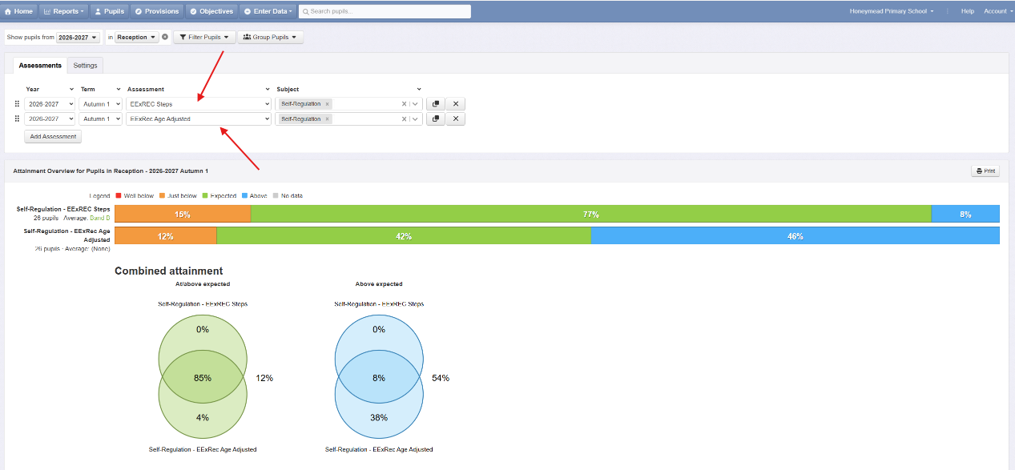
The Attainment Overview Report can also be used to do a comparison of both versions of the assessment, allowing you to evaluate what proportion of pupils are working at a typical level for a pupil of 4 years and 6 months (typical at the start of Reception) compared to those who are working securely at the level typical for their actual age:
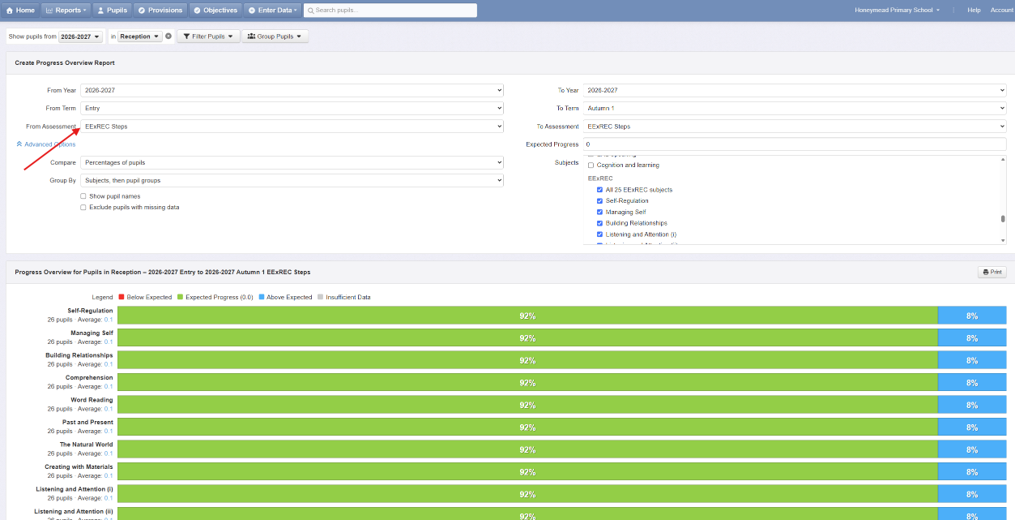
When calculating progress over time, the EExREC Steps mark scheme will need to be used to compare points in time: