Insight 101: Formative Assessment (Objectives)
 Updated
Formative assessment is your ongoing, day-to-day monitoring of pupils' learning. The goal is to monitor learning in a way that generates regular feedback, which can be used to inform teaching and learning.
An Introduction to Formative Assessment in Insight
You don't have to record formative assessments in a tracking system, and it's completely optional in Insight. Many schools find it useful to have a centralised record of what pupils can and can't do.
In Insight, you can do this by making assessments against objective statements, or what you might think of as KPIs, descriptors, targets, criteria or learning outcomes.
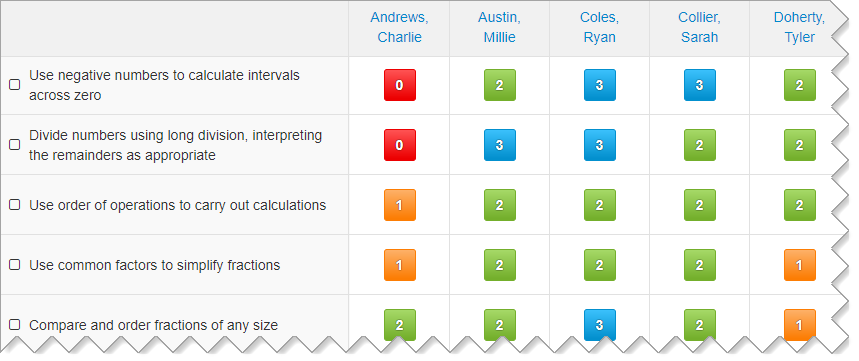
Your formative assessment should go hand-in-hand with your curriculum and how you teach it, so you can completely customise your objectives in Insight. You can use an entirely bespoke set of statements, access open-licence frameworks or assess materials from suppliers we work with. Our team will help you set up your account when you're getting started.
By default, you can make four assessments against your objectives:
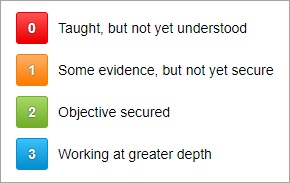
The number and terminology of these assessments can be customised to fit your school's assessment policy.
As you start recording assessments, visual overviews will give you immediate feedback on how pupils are doing and how well a group has grasped a particular objective.
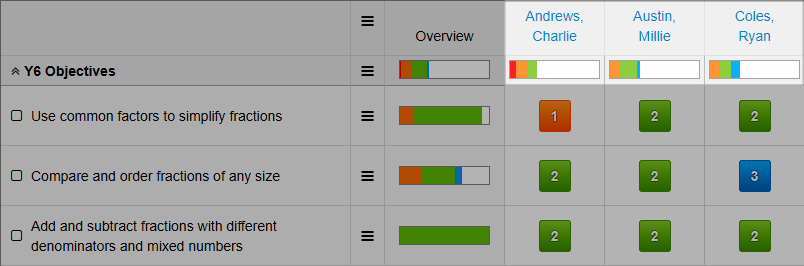
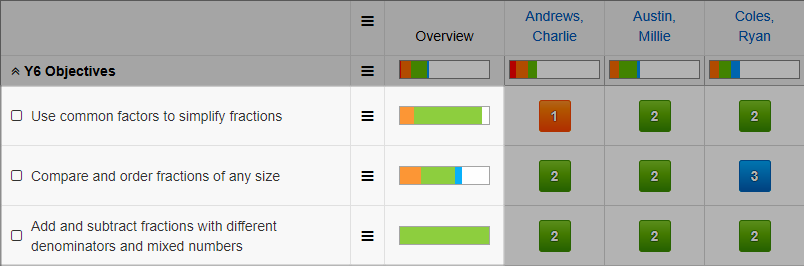
Sorting options are also available to help you identify strengths and problem areas.
On request, Insight can also show summary data points, to give you a snapshot of how pupils are doing. For example, Insight can show each pupil's % Secured, which tell you how many of the year's objectives they've secured:
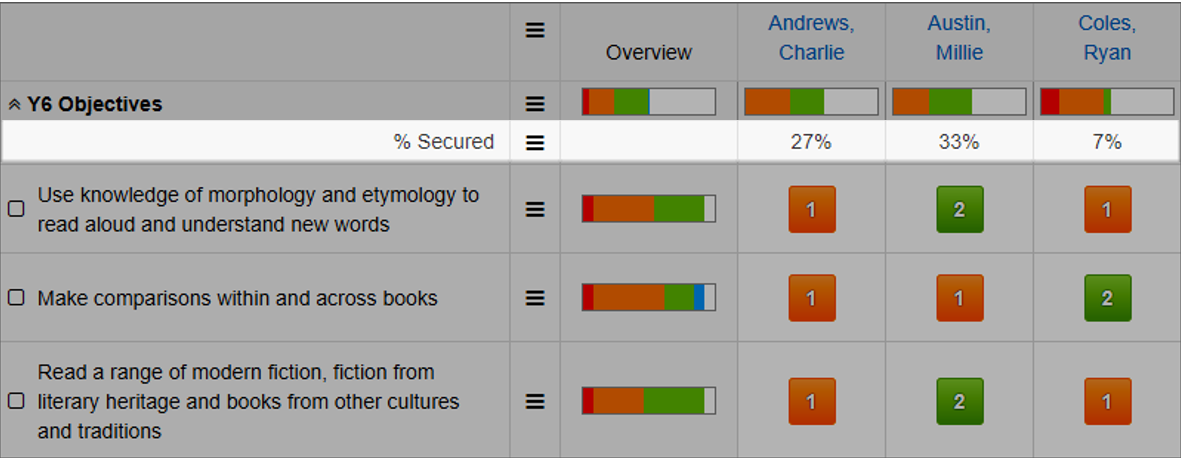
There are various types of summary available, so these can be changed (or turned off completely) to give you the feedback that you find most helpful for informing teaching and learning.
If you're one of the many schools who have pupils working below (or above) their year group, it's straightforward to look at and assess the objectives from any year. Gaps in learning are easy to spot, and you can see instantly if a teacher has judged a pupil to be working out of year:
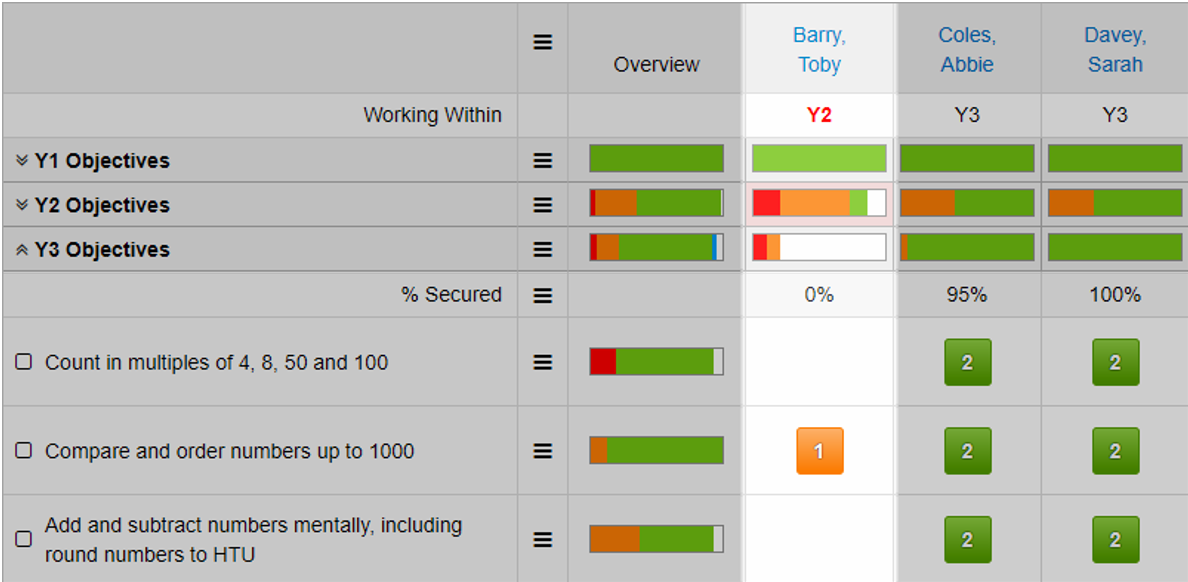
You can also enter summative assessments directly in the Objectives grid.
Your Admin users can amend these settings at Account > Admin > Objectives. Then choose the grid you want to amend to add the settings you require.
Further Reading
- For a more detailed look at how to use the Objectives page to make assessments, have a look at our Overview of Formative Assessment guide
- For details on adding, editing, deleting and re-ordering your objectives, see Managing Your Objective Statements
