Attainment Overview report v2 update
 Updated
The attainment overview report is the most popular report in Insight.
In March 2026 alone, it was viewed over 180,000 times by more than 33,000 users. Over 70% of users view the attainment overview report multiple times each month.
However, the report suffered from some notable limitations. The new version gives you full control over which assessments you can compare, and some other tweaks based on your feedback.
This report plays a central role in how schools and Trusts analyse pupil attainment, so it’s important that it's not just powerful, but also easy to use and flexible.
That’s why we’re introducing a new and improved version.
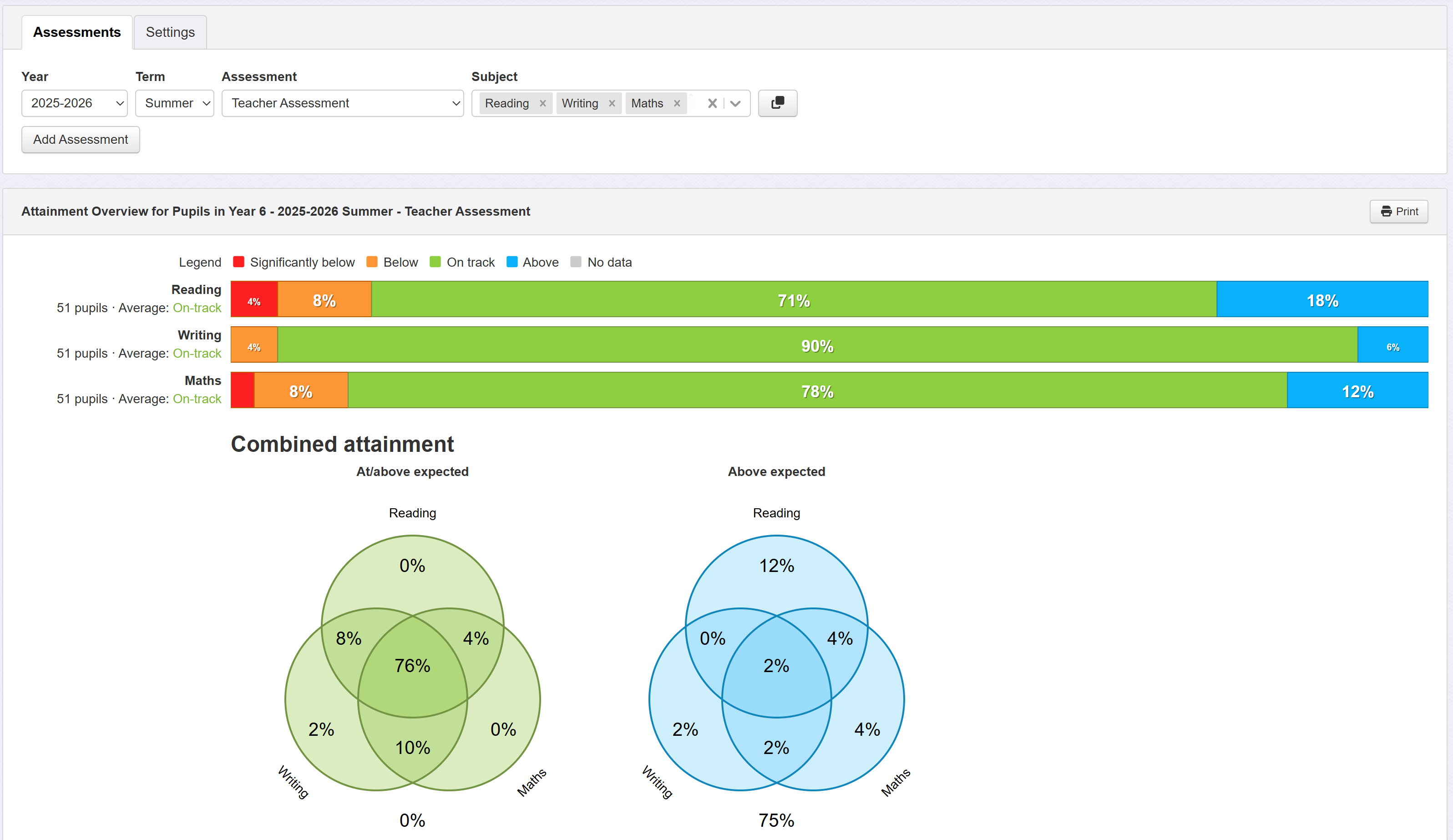
Why are we making these changes?
We regularly receive feedback from schools looking to broaden the scope of analysis within the report. These improvements are designed to deliver on that feedback, making it easier to explore data, compare performance, and get the analysis you need.
Improvements in the Attainment Overview report v2
The report now offers much greater flexibility to compare just the specific assessments you choose. The main improvements include:
- Compare different assessment types across subjects, terms or years

For example, schools have asked for the ability to compare a teacher assessment in writing with standardised scores in maths and reading. This is now possible.
Similarly, just by using the Add Assessment button, it is now possible to compare an assessment over different academic years.
- Drag and drop to customise the bar display order

The ability to change the order of the displayed data has often been requested. The selected subjects may now be dragged into the desired display order. Similarly, each assessment row may be moved up and down.
- View combined (Venn) data in isolation
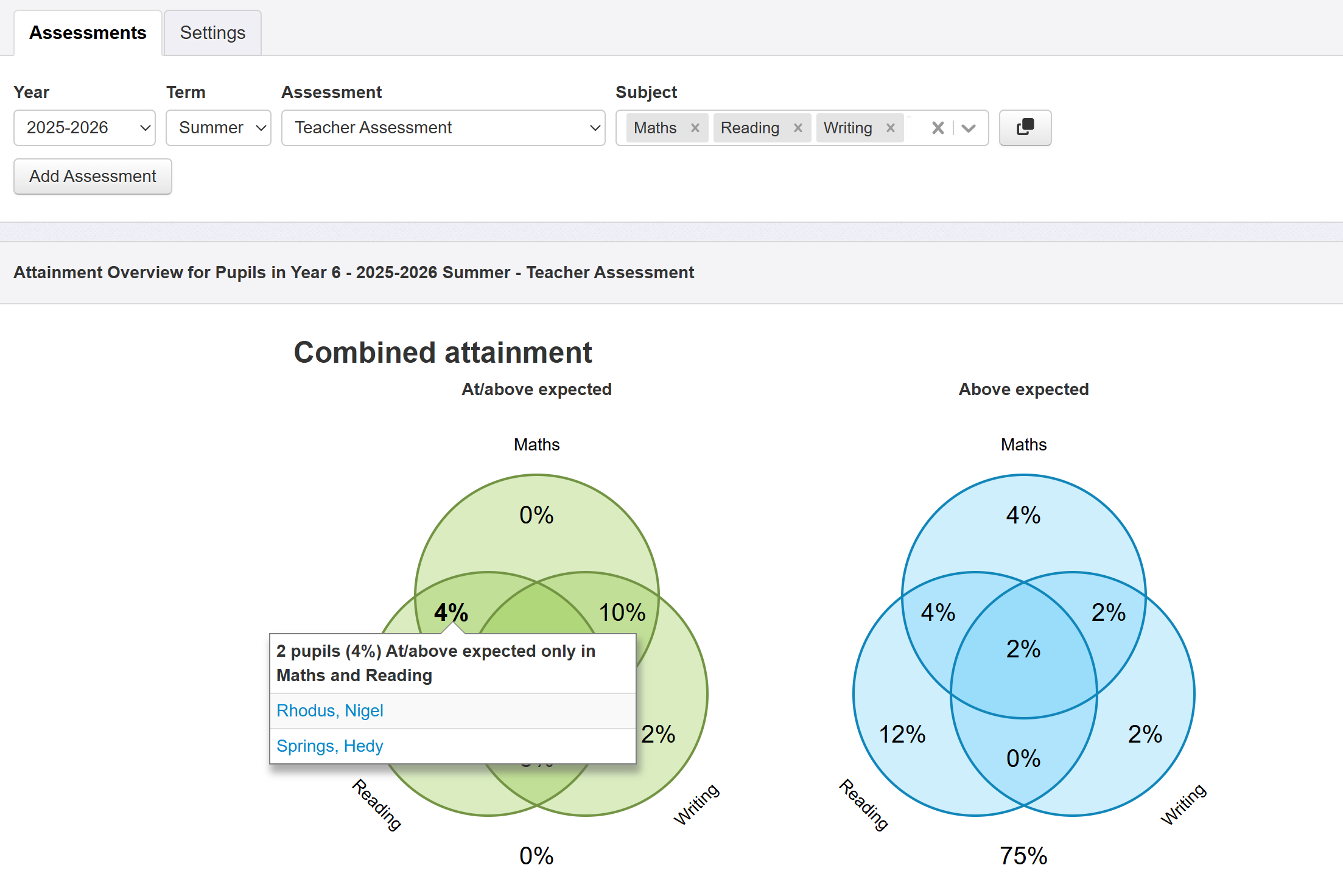
Schools have asked for this function, when their focus is on the Venn diagrams. Previously, particularly if pupil names were also shown, the Venn diagrams could be lost, requiring a lengthy scroll to see them.
- "Advanced options" are now in a Settings tab
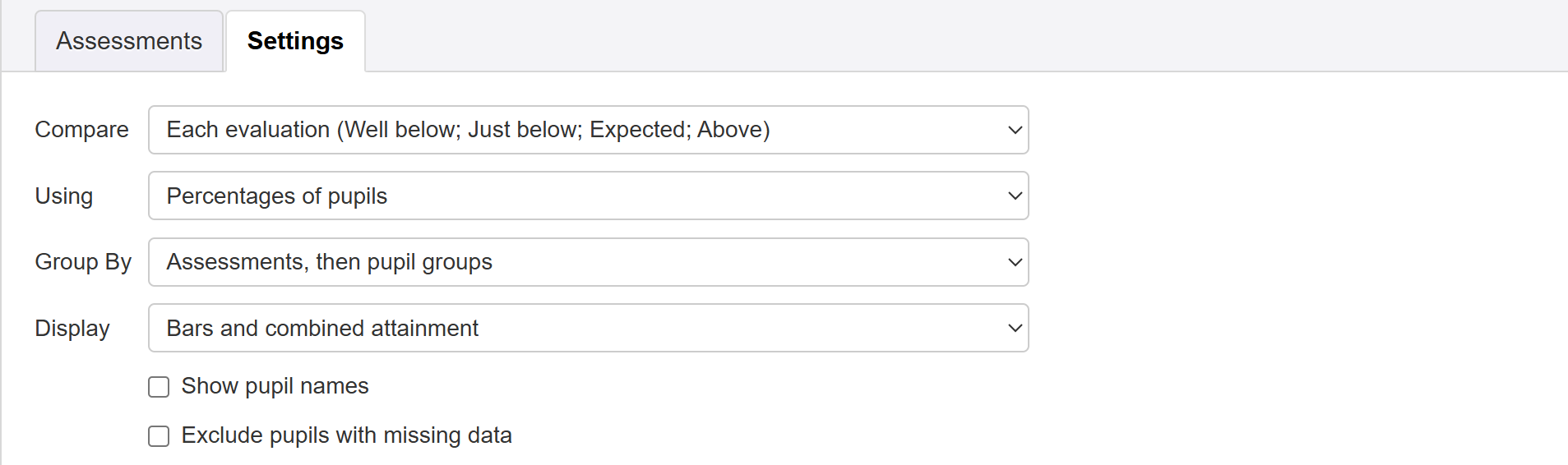
This makes for more efficient use of screen space; the report no longer drops off the bottom of the screen.
What happens next?
You can choose to use the new report, or revert back to the old one if you wish, for a limited time.
The old report will soon be retired in the coming weeks.
We always welcome feedback; it's how we keep improving Insight. If you'd like to share your thoughts on this updated report, please do get in touch.
Further help
For full details on how to get the best out of the updated Attainment Overview report, see the full help guide.
