Filters & Groups: Specific Pupils
 Updated
The Specific Pupils filter enables you to only include certain pupils or exclude certain pupils.
To begin, choose Specific Pupils in the Filter Pupils menu.
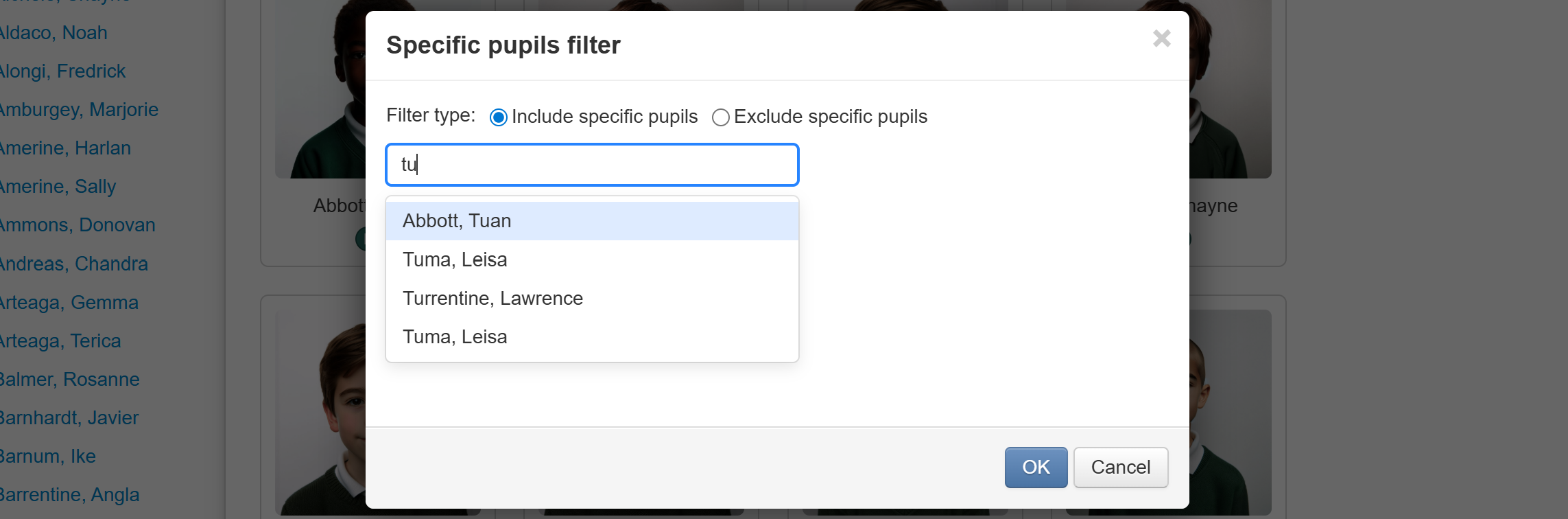
You'll see a form into which you can type the name of a pupil you want to specify. As you type each letter Insight will suggest possible matches. Click the appropriate one.
You can continue to add more pupils if needed.
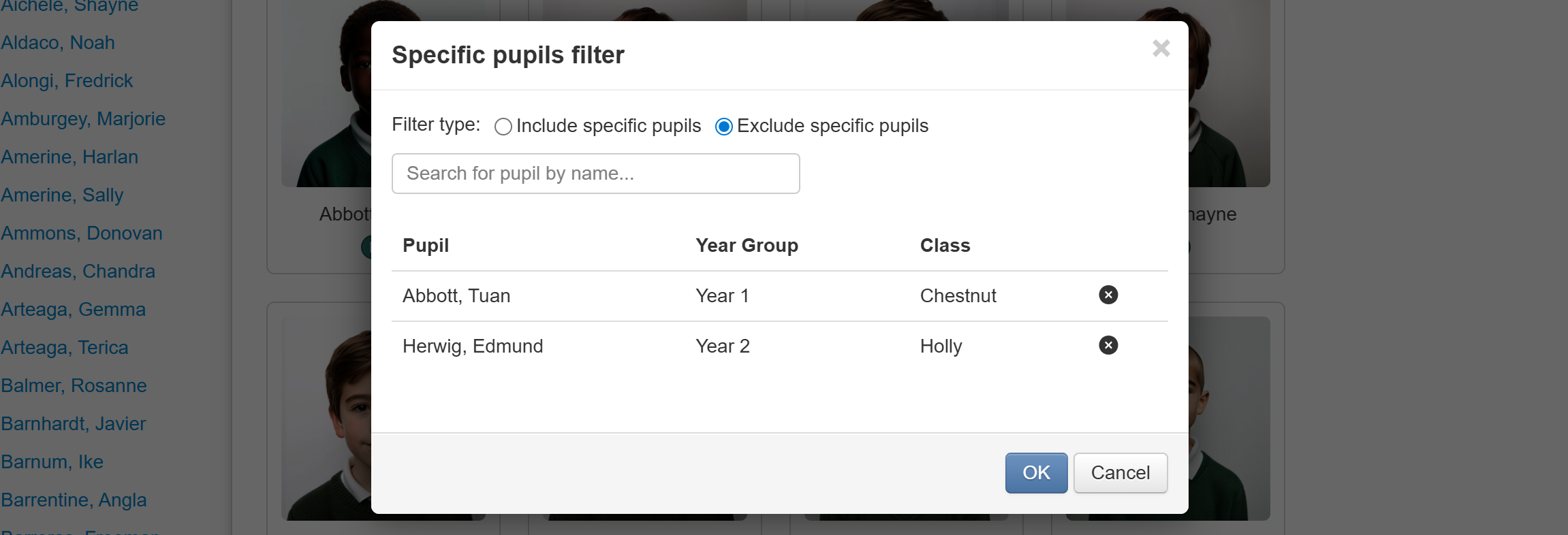
From Filter type, choose Include specific pupils or Exclude specific pupils as required, then click OK to apply the filter.
